Showing posts with label hardware. Show all posts

Thursday, September 21, 2006

Big Day

2 things happened today:

1) Got my awesome, awesome Dell 2407 monitor:


2) Ordered some parts off of newegg so I can use this montor at more than the crappy resolution of my laptop (and, y'know, for some other functionality...):
  • AMD X2 64-bit 3800+ CPU
  • Seagate 320G hard drive
  • Cheap LiteOn DVD burner
  • Cheap HP Deskjet printer
  • Cooler Master case (with 430W power supply)
  • Asus A8N5X Motherboard
  • PNY GF6600 AGP 256M Graphics Card
  • 2G Corsair RAM
And, all the accessories:
  • A blue keyboard with a superman logo emblazoned on it
  • Logitech (best company ever for cheap and excellent peripherals) optical mouse
  • Buffalo Wireless PCI card
  • Arctic Silver Thermal Paste (I never use the cheap stuff that comes on the cooling unit)
  • Power strip
All parts (save the monitor) clocked in at under 1000 bucks, including shipping and taxes. Can't wait to get my dirty little paws on it next week...

Update: screwed up on some stuff... RMAed the video card because it was the wrong interface (stupid! stupid!)... got a VGA XFX|GF 7300GS 256MB PVT72GWANG to replace it... and that keyboard is slim and lame... got a stripped down logitech one to replace it.

Thursday, July 06, 2006

Server Building, Part 1 (assembly)

I got my parts in the mail today (see last post)... to work!

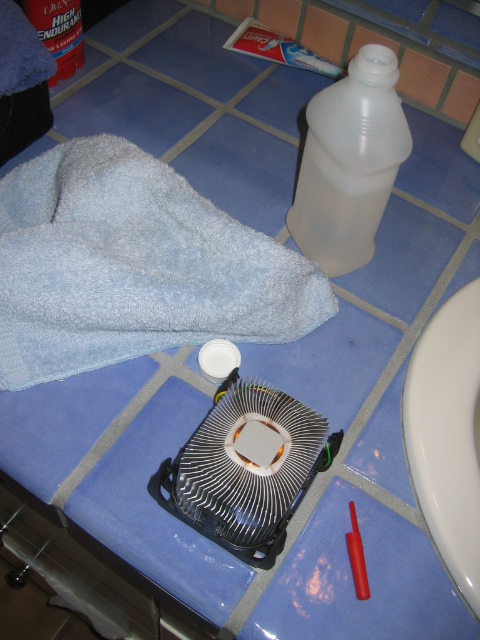
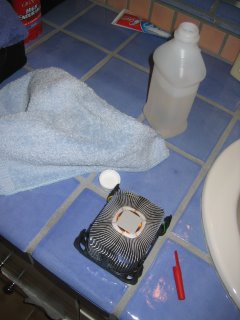
After unpacking all the parts, the first thing I did was to take the "thermal compound" that comes with the heatsink off with isotropl alcohol. There's nothing more annoying than cpus that overheat, which is what tends to happen with heatsinks that use this sorry excuse for a compound. Here is the heatsink ready for the slaughter... after this I smothered my own compund all over the cpu. Pencaps work well for both taking chunks of compound off and lathering them on (hence the red one in this photo):

Then I put the 2 memory sticks into the blue slots. Both the heatsink and the memory need a bit of muscle to install, especially the heatsink.

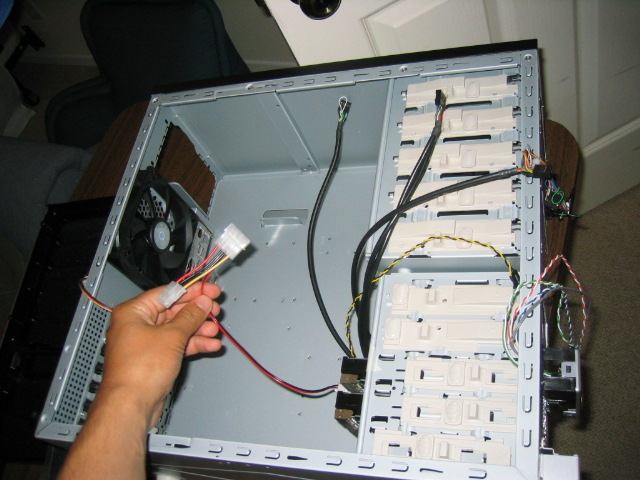
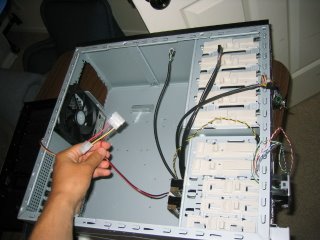
One thing to watch out for before installing the hard disks/anything else: in the Centurion cases, the wire that connects the fan to the motherboard can get stuck behind the casing easily (see photo below)... make sure that doesn't happen early as it will save you from removing a lot of stuff to get at it later.

Power supply installation is easy, just screw it in. Make sure the proper voltage is set, though, that could burn you later.

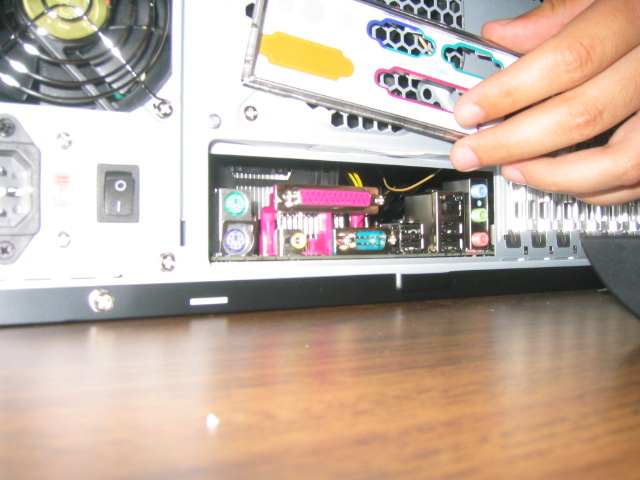
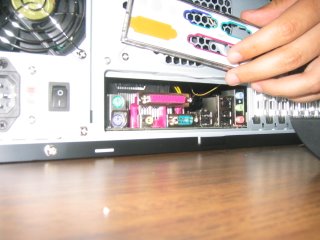
Motherboard installation: more screws, a bit of finesse. One way to line the screw holes up with the holes in the motherboard is to lay the motherboard down and take a permanant marker and mark the holes on the other side and then screw in screws in the marked holes. Be sure to bash out that pesky guard over all the USB ports, etc. on the case before you put the motherboard in:

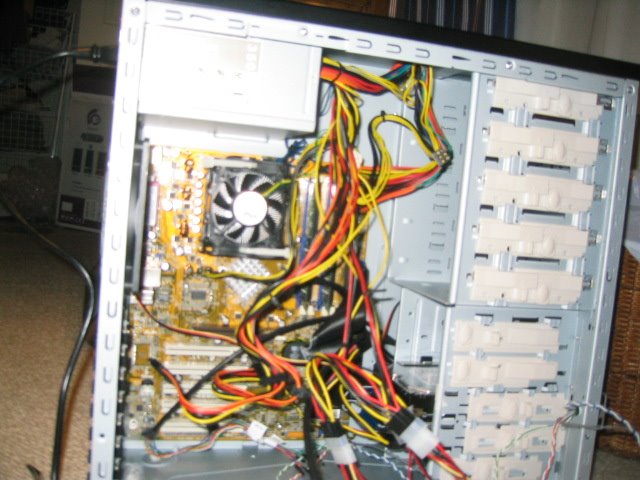
I then slid in the 2 hard drives. With that done, now comes the fun of connecting very very small parts. If my fingers were needlenose pliers, this would be easier. Check your motherboard manual for the details on what goes where. One thing that is always annoying is connecting the led, power, speaker, etc. cables correctly. In any event, it's starting to get a bit hairy in there...
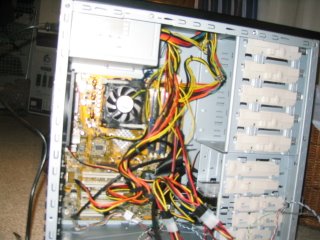

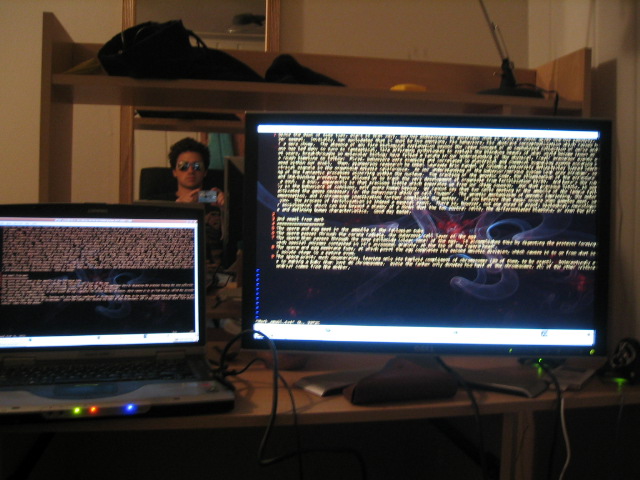
Alright, time for the moment of truth... I turn it on (flip the switch on the back from O to | ) and the motherboard LED lights up, which means it's getting power. That's good. I hit the power button and... everything (fans, LEDs, etc.) seem to be working. Except there's two beeps instead of the healthy one. Hmmm. Time to loan one of my monitors from my current PC to this one to figure out what's going on...
Monday, July 03, 2006

Ordered server hardware

I began my quest of building a file/web server today... here are the purchases I made from the fabulous (and cheap, and convenient, etc.) newegg:
  • CoolerMaster case: I already have one of these for my primary desktop... very good design with the "tool-less" install
  • 2x256 Corsair memory sticks: Basically, the cheapest reliable memory I could find
  • Asus P4S800D Motherboard: Again, cheap (and hopefully reliable) motherboard
  • Antec SP-350 Power Supply: cheap power supply
  • Intel Celeron D310 2.13GHz processor: The cheapest processor I could find... (more than 2 GHz these days!)
  • Rosewill RK-680 USB Keyboard: cheapest keyboard I could find
  • Evga MX4000 Graphics card: cheap graphics card
  • 2 Seagate 300GB hard drives: these 2 babies account for almost half the price of the total package

The total for all of this stuff is around $550. I'm planning to set up apache and a file server on this baby, along with RAID 1 so I don't lose any of those valuable, valuable mp3s.